
Every Dollar Grows Digital Tools
Digital Budgeting Tools for Every Stage of Your Money Reset
These digital budgeting tools let you start with the financial problem or goal in front of you today. Plan meals and grocery trips more intentionally, control grocery spending, build a small savings cushion, understand where your money is going, fund vacations without losing track of the plan, or put your entire household money system in one place.
For the complete household framework, use the budgeting guide.
Choose the Right Starting Point
These digital budgeting tools form one practical product ladder. You do not need to buy everything at once, and you do not have to begin at Step 1. Choose the tool that solves your most immediate problem.
Five Starting Points. Six Focused Tools.
Choose by the problem you need to solve. Grocery planning and grocery-budget control are grouped together because they solve two halves of the same household spending problem.
Step 1 · Control everyday grocery spending
Plan the Food. Track the Money.
Grocery spending gets easier to control when you solve both sides of the problem: what should we actually buy? and how much is actually safe to spend?
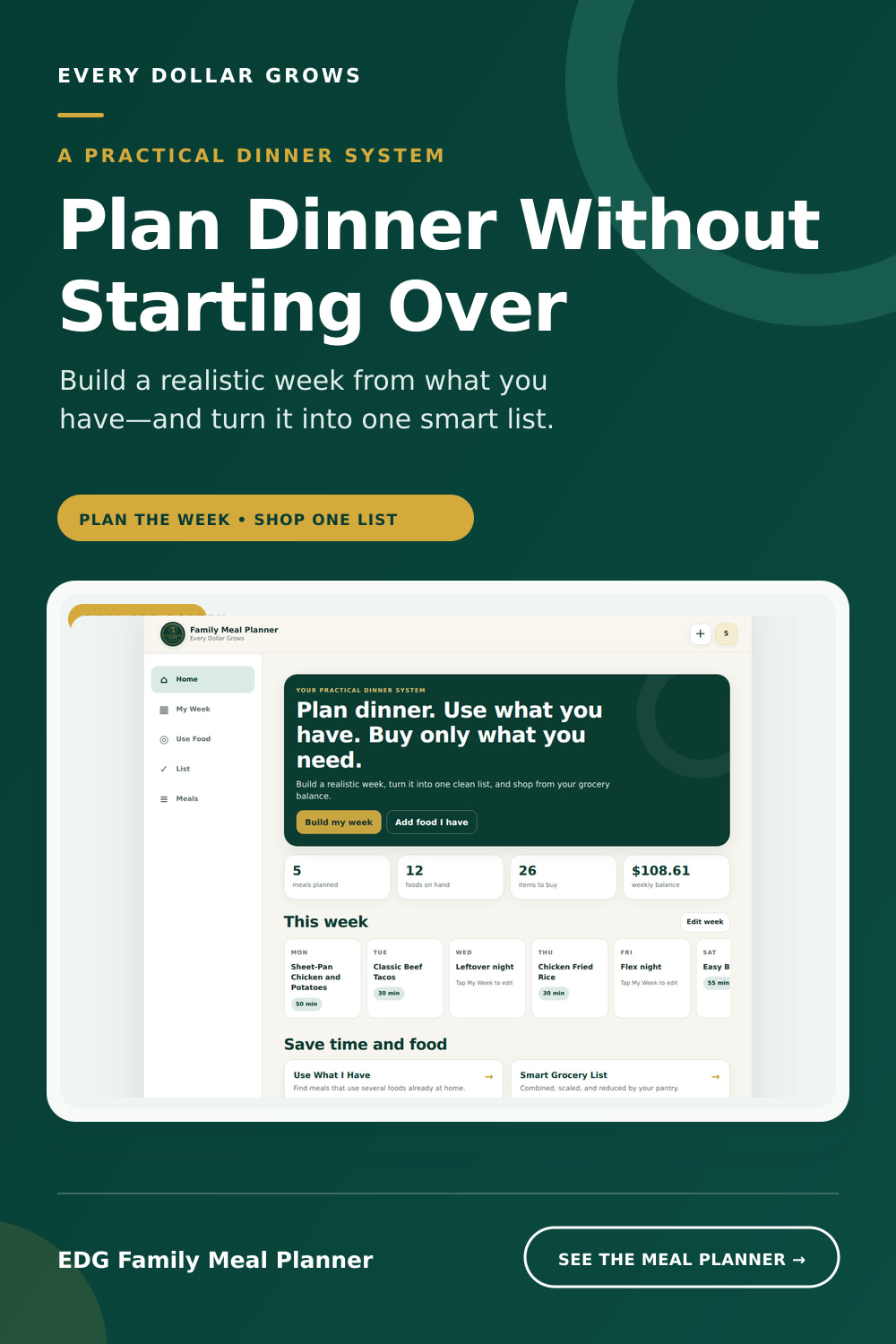
Plan the food
EDG Family Meal Planner
Start with 63+ included meals, use food already in the pantry, refrigerator, or freezer, build a realistic dinner week, and turn the plan into one smarter grocery list.
- 63+ included meals plus your own family recipes
- Use What I Have pantry-aware meal suggestions
- Automatic grocery-list creation and duplicate combining
- Household-size recipe scaling and Store Mode
- Growing approved community recipe collection
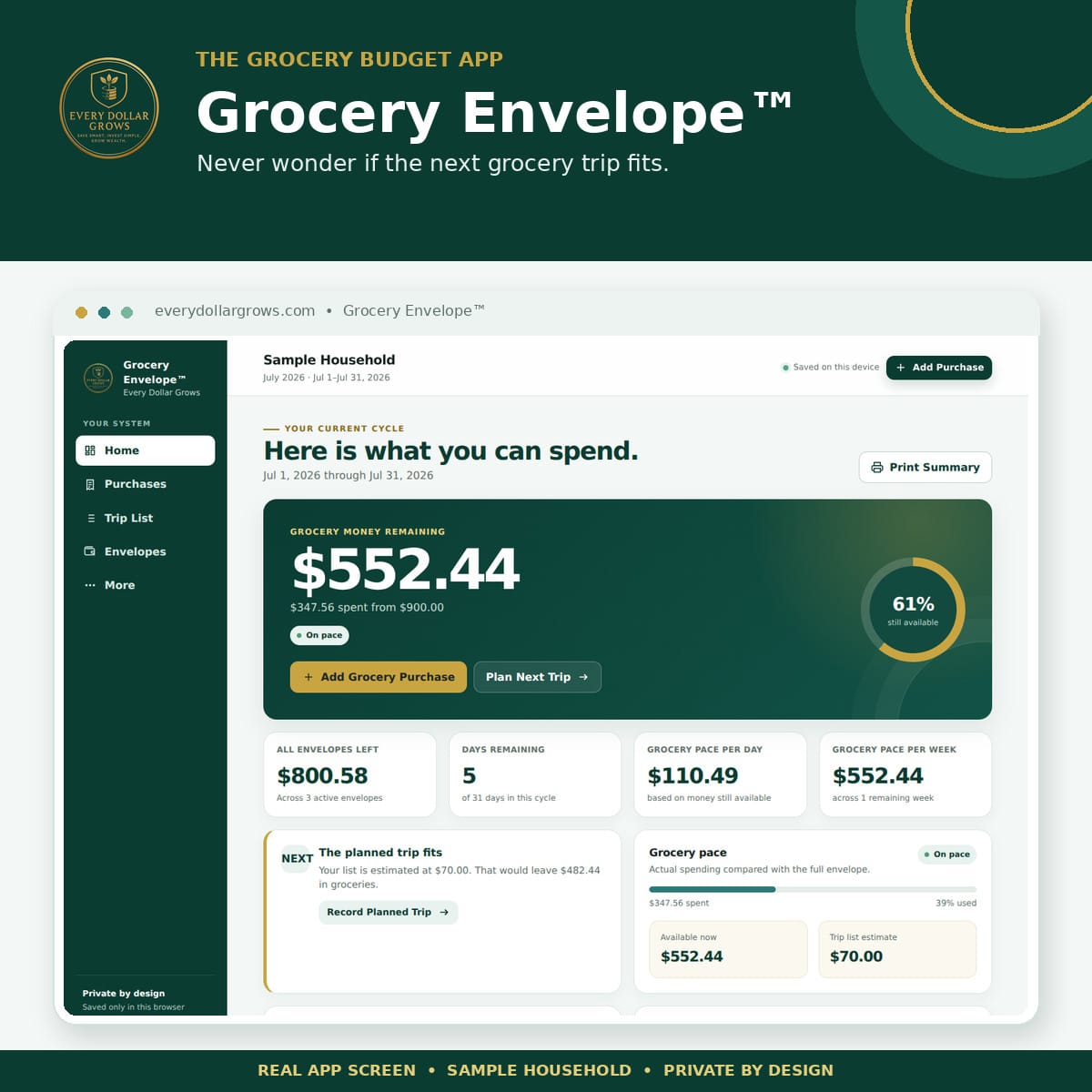
Track the money
Grocery Envelope™
Grocery Envelope™ gives your household one clear number before every grocery trip: the amount that is still safe to spend.
- See exactly how much grocery money remains in seconds
- Record purchases and split one receipt between envelopes
- Plan the next grocery trip against the available balance
- Add optional household supplies, gas, and other variable-spending envelopes
- Works from an iPhone Home Screen with no bank connection
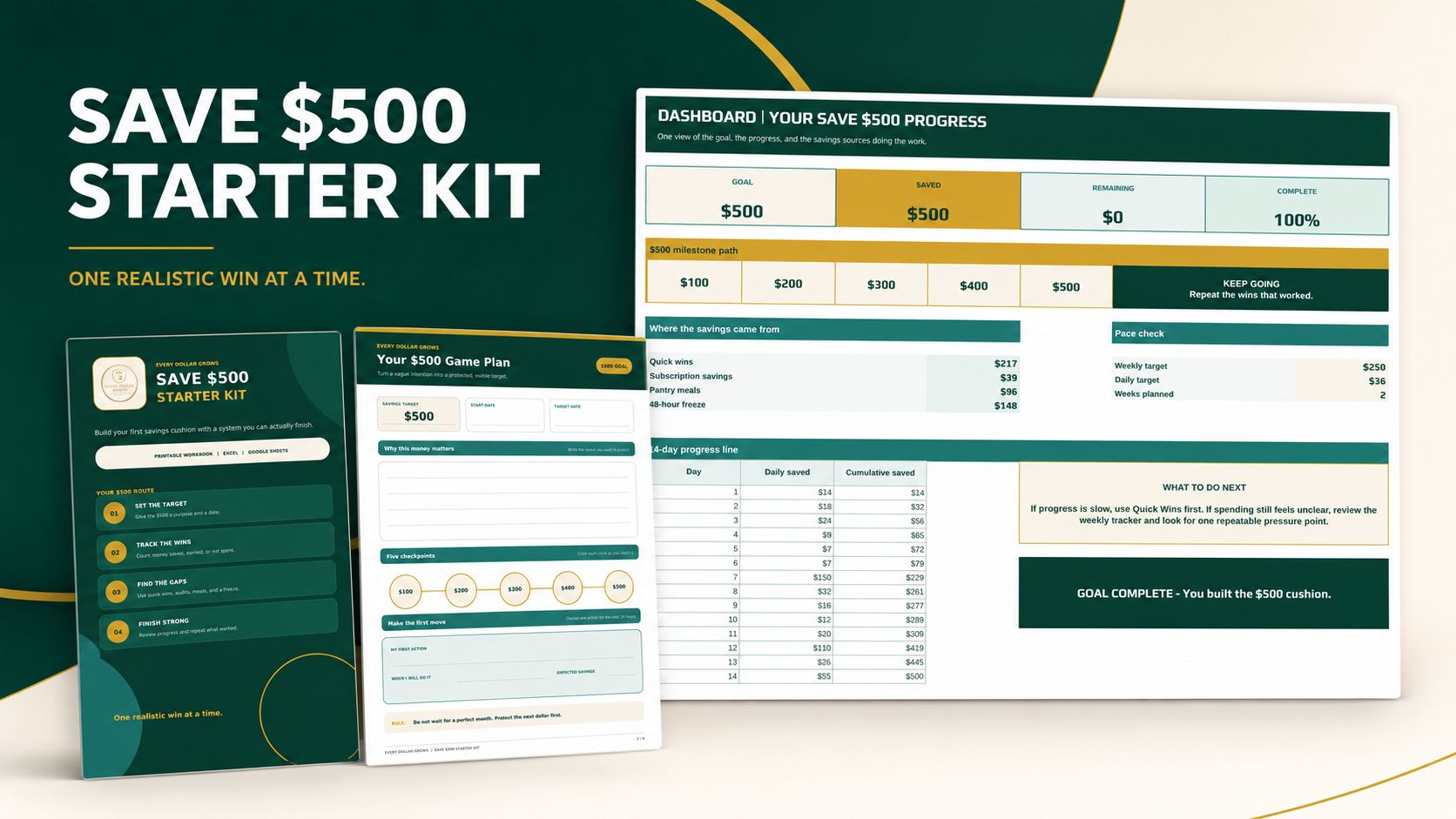
Step 2 · Create momentum
Save $500 Starter Kit Digital Download
As the entry point in the digital budgeting tools ladder, the Save $500 Starter Kit helps you find realistic savings opportunities, record each real win, and watch those wins grow into your first $500 cushion. It combines a guided digital workbook with a printable path, so you can use the format that fits your life.
- Interactive nine-tab Excel and Google Sheets workbook
- Completed example showing the entire workflow
- Eight-page printable savings workbook
- Quick Wins, Subscription Audit, Pantry Meals, and 48-Hour Freeze tools
- Polished Start Here PDF guide
Natural next step: Once the cushion is growing, use the Budget Review System to find the monthly pressure point holding back further progress.
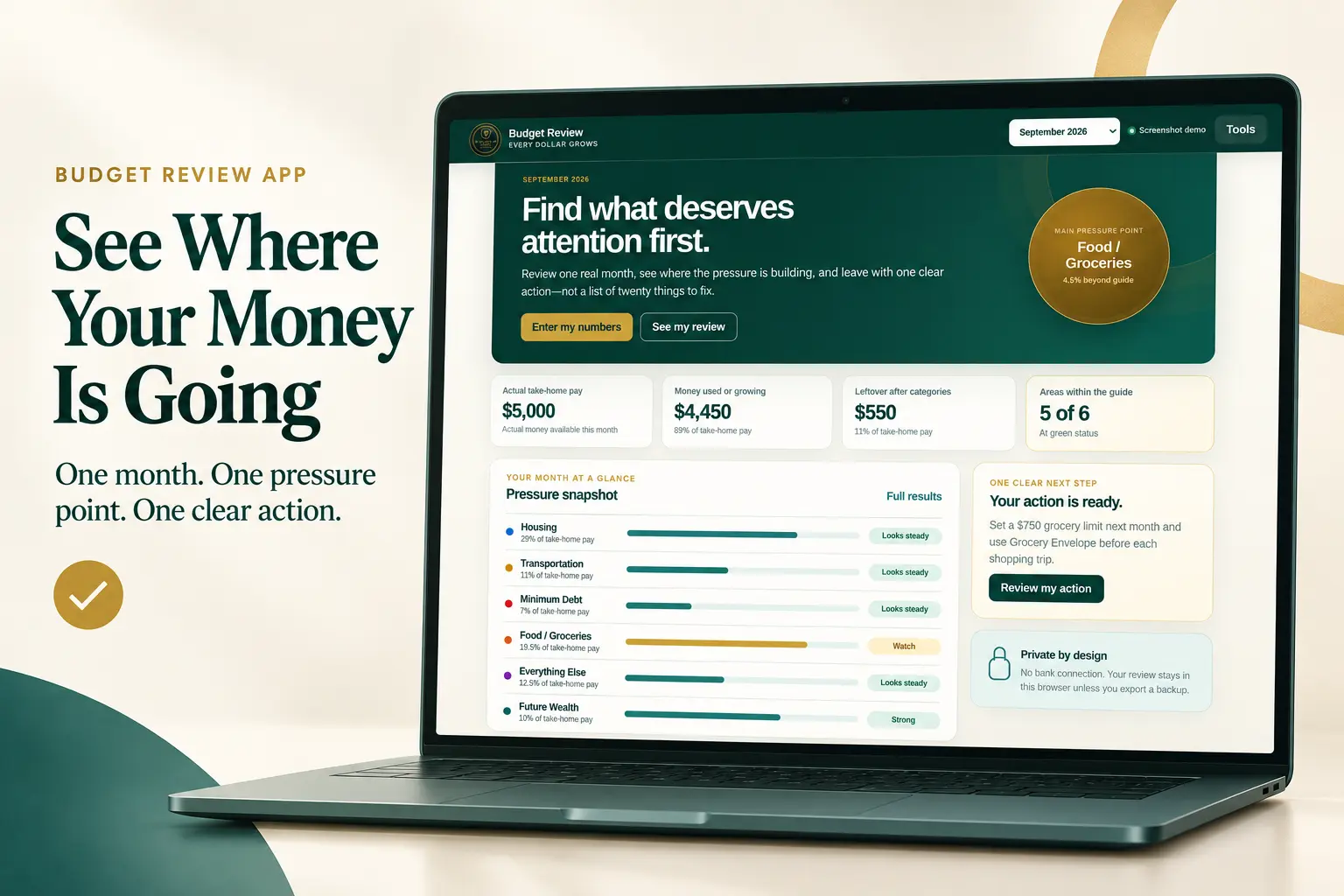
Step 3 · Diagnose the problem
Budget Review System
Within these digital budgeting tools, the Budget Review System provides the diagnostic step. If you already have a budget but still wonder where the money goes, it helps you examine one month of real numbers, identify the area creating the most pressure, and turn that finding into one manageable action plan.
- Printable five-minute budget review
- Monthly Money Plan and Spending Register
- Interactive ratios with clear target ranges
- Digital summary of the numbers that need attention
- Simple next-step plan based on the review
Natural next step: After you know what needs to change, use Money Reset OS to run the budget, register, savings, debt, investments, assets, and net worth in one connected system.
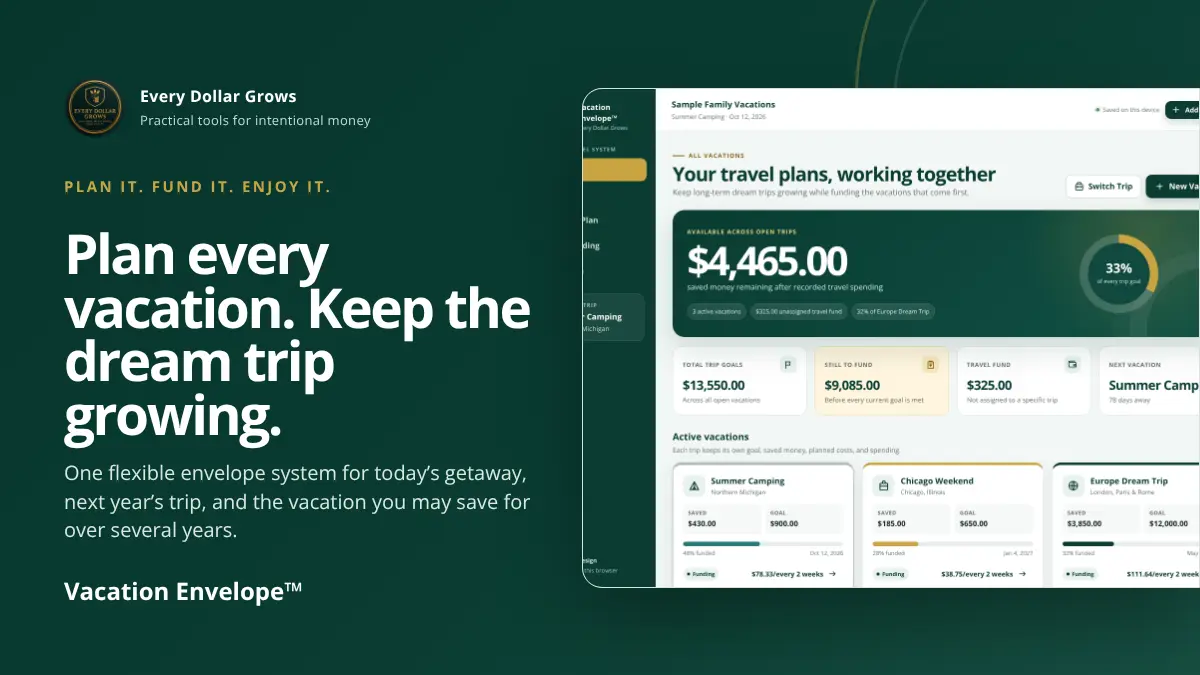
Step 4 · Turn travel goals into funded plans
Vacation Envelope™
Vacation Envelope™ gives every trip its own savings goal, spending plan, and category envelopes. Plan a nearby camping trip while saving for a cruise, resort stay, road trip, or long-term dream vacation—without mixing the money or losing sight of either goal.
- Plan and track multiple vacations at the same time
- Create envelopes for travel, lodging, food, activities, and custom costs
- Separate available money from amounts reserved for planned expenses
- Record spending during the trip and see what remains
- Choose a home currency, back up the data, and use it from a mobile Home Screen
Works alongside the full plan: Use Vacation Envelope™ for detailed trip goals while Money Reset OS keeps the broader household plan organized.
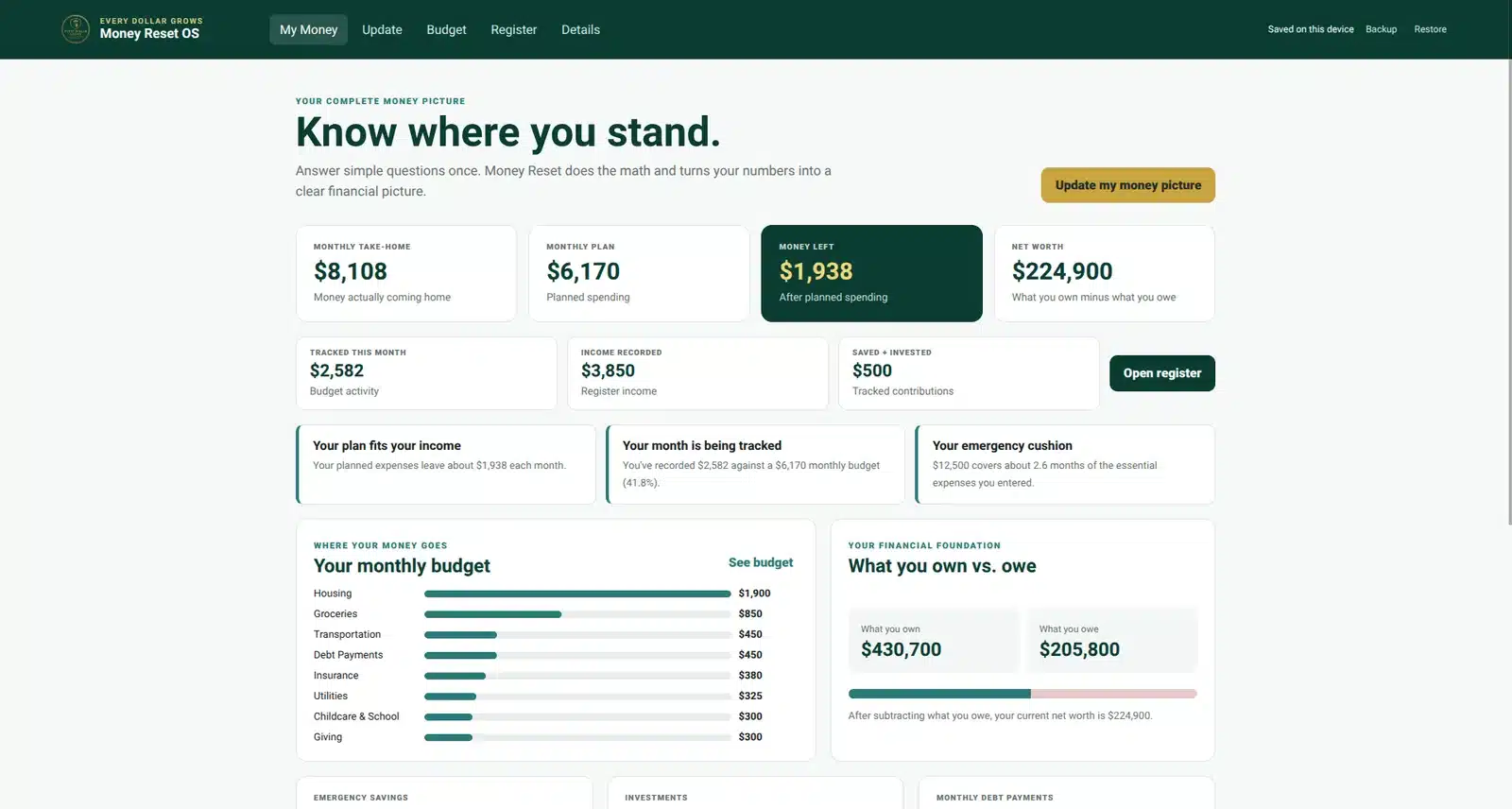
Step 5 · Run the complete household money system
Money Reset OS
Money Reset OS is the flagship Every Dollar Grows household money management system. It brings your real monthly budget, transaction register, optional rollover envelopes, savings, debt, investments, assets, and net worth together in one organized app.
The setup is intentionally simple. Money Reset asks specific questions, explains where to find the numbers it needs, and turns what you enter into useful financial information, charts, and progress views.
- Guided setup with clear questions and help finding each number
- Real monthly budget with planned amounts and actual activity
- Full Money Register for spending, income, savings, debt, investments, and transfers
- Optional rollover money envelopes for categories that need to build over time
- Custom budget categories and recurring transaction templates
- Savings, emergency-fund, and debt tracking
- Investment and asset tracking
- Automatic net worth and financial progress history
- Backup, restore, and CSV register export
- One-time purchase with no recurring subscription
Flagship system: Choose Money Reset OS when you want the broad household financial picture working together. Specialized tools such as Grocery Envelope™ and Vacation Envelope™ can still be used alongside it for deeper control of individual spending goals.
Which Digital Budgeting Tools Should You Choose?
| Your main need | Start with | The result |
|---|---|---|
| I need to plan meals around food I already have and build a smarter grocery list. | EDG Family Meal Planner | 63+ meals, pantry-aware planning, and a grocery list built from the actual dinner plan. |
| I need to stop guessing what is safe to spend on groceries. | Grocery Envelope™ | A live grocery balance, purchase record, and next-trip estimate. |
| I need to save a small emergency cushion. | Save $500 Starter Kit | A visible plan for finding and tracking real savings wins. |
| I have a budget, but I cannot see what is going wrong. | Budget Review System | A clear pressure point and one practical improvement plan. |
| I want to save for and track one or several vacations. | Vacation Envelope™ | Separate trip goals, category envelopes, reserved costs, and live spending balances. |
| I need one system for my complete household money plan. | Money Reset OS | A guided app for budgeting, real transactions, rollover envelopes, savings, debt, investments, assets, net worth, and financial progress. |
Frequently Asked Questions
Do I need to purchase all six products?
No. Each product works independently. The ladder simply helps you choose the tool that best matches your current financial problem.
How do these digital budgeting tools work together?
EDG Family Meal Planner helps plan meals around food already at home and build the grocery list. Grocery Envelope™ controls the grocery money and other variable spending. The Save $500 Starter Kit turns available margin into initial savings momentum. The Budget Review System identifies the monthly pressure point that deserves attention. Vacation Envelope™ turns travel goals into separate savings and spending plans, while Money Reset OS brings the monthly budget, transaction register, savings, debt, investments, assets, and net worth together in one complete household system.
Which product should a beginner choose first?
Choose EDG Family Meal Planner when the problem is meal planning, food waste, or buying groceries without a clear list. Choose Grocery Envelope™ when the immediate problem is knowing what is safe to spend. If you do not yet have a small savings cushion, start with the Save $500 Starter Kit. If savings are underway but your monthly numbers feel unclear, choose the Budget Review System. Choose Vacation Envelope™ when funding and managing trips is the specific goal. If you want a complete ongoing household system, choose Money Reset OS.
Can I plan more than one vacation at a time?
Yes. Vacation Envelope™ keeps each vacation separate, so you can take smaller trips while continuing to save toward a cruise, international trip, or another long-term vacation goal.
Can I use Vacation Envelope™ with currencies other than U.S. dollars?
Yes. Choose the home currency used for your plan. Vacation Envelope™ supports common English-speaking-country currencies, including U.S., Canadian, Australian, and New Zealand dollars and British pounds.
Can I put Grocery Envelope™ on my iPhone Home Screen?
Yes. Sign in, open Grocery Envelope™ or Vacation Envelope™ through My Apps, tap Safari’s Share button, and select Add to Home Screen. The selected tool will open from its own EDG icon alongside your other apps.
Are these physical products?
No. All Every Dollar Grows products on this page are digital. EDG Family Meal Planner, Grocery Envelope™, and Vacation Envelope™ are account-accessed apps. Money Reset OS is an account-accessed app available through My Account → My Apps. The Save $500 Starter Kit provides downloadable digital files. Budget Review includes a protected app plus companion workbook and printable downloads. Nothing will be shipped.
Can I use the spreadsheets in Google Sheets?
The Save $500 Starter Kit and Budget Review System are designed for Excel and are also compatible with Google Sheets. See each product page for specific compatibility notes.
Are there recurring subscription charges?
No. These are one-time digital purchases with no recurring subscription fee.