
Free Monthly Budget Planner PDF + Simple Budget App
Use the Smart PDF to build a complete monthly plan, then use Simple Budget to track spending as the month unfolds. Both tools are free, practical, and designed to help you give every dollar a clear job without connecting a bank account.
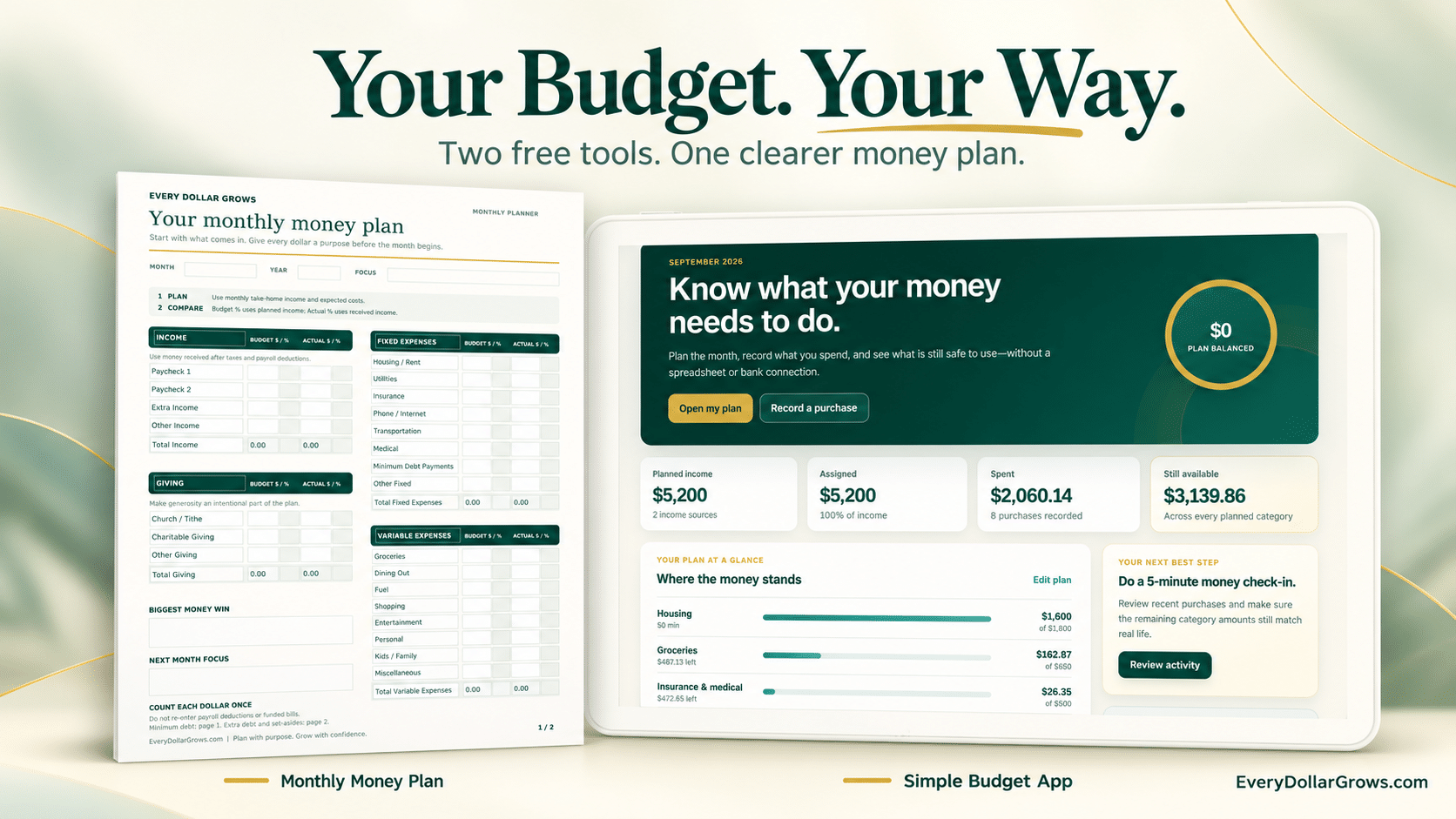
Use the Monthly Money Plan for the full plan and Simple Budget for day-to-day tracking.
See Simple Budget in Action
The Monthly Money Plan builds the big-picture plan. These are the actual Simple Budget screens that help you track it digitally.
Choose Your Free Monthly Budget Planner
Choose the format that matches how you budget. The updated Monthly Money Plan now includes giving, planned-versus-actual percentages, category planning ranges, and a zero-based budget check.
Monthly Money Plan
Best if you want a complete two-page monthly plan with fillable fields, automatic totals, and planning guidance.
- Plan income, giving, expenses, savings, and debt
- Compare Budget $ / % with Actual $ / %
- Use EDG category planning ranges as a starting point
- Check whether every planned dollar has a job
Get Both Free Tools
Use the Smart PDF for the big-picture plan and Simple Budget for day-to-day tracking.
- One email signup
- Monthly Money Plan Smart PDF
- Simple Budget App access
- Use either tool whenever it helps
Simple Budget App
Best if you want to plan digitally and keep category balances updated as you spend.
- Build a monthly spending plan
- Track purchases by category
- See what remains as you spend
- Copy months, export, and back up data
Want the tools sent to your email?
The Smart Monthly Money Plan is available directly on this page. You can also choose an option below if you want the planner, Simple Budget access, or both sent to your email.
Already subscribed? Use the same email. You will not need to create a second subscriber record just to request another free resource.
Get the Free Monthly Money Plan
Plan your income, expenses, savings, sinking funds and debt on one simple printable page.
Get Both Free Budget Tools
Get the Monthly Money Plan printable and free access to the Simple Budget App with one email signup.
Get the Free Simple Budget App
Build a clear monthly plan, track purchases, and always know what remains.
See the Free App
Use this free budgeting app without a bank connection to plan your month, track purchases, and see what remains.
Watch a quick walkthrough of the free Simple Budget App.
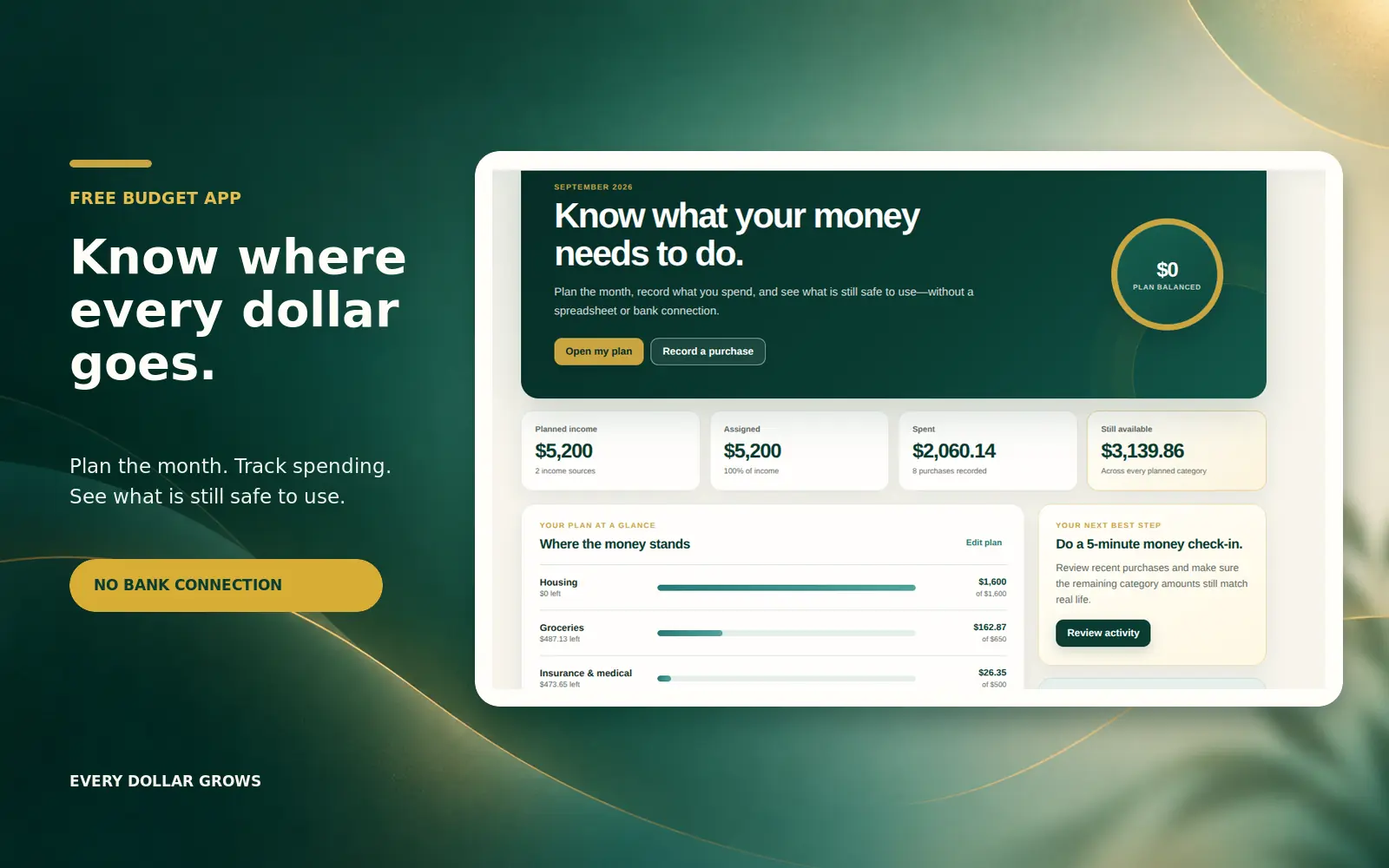


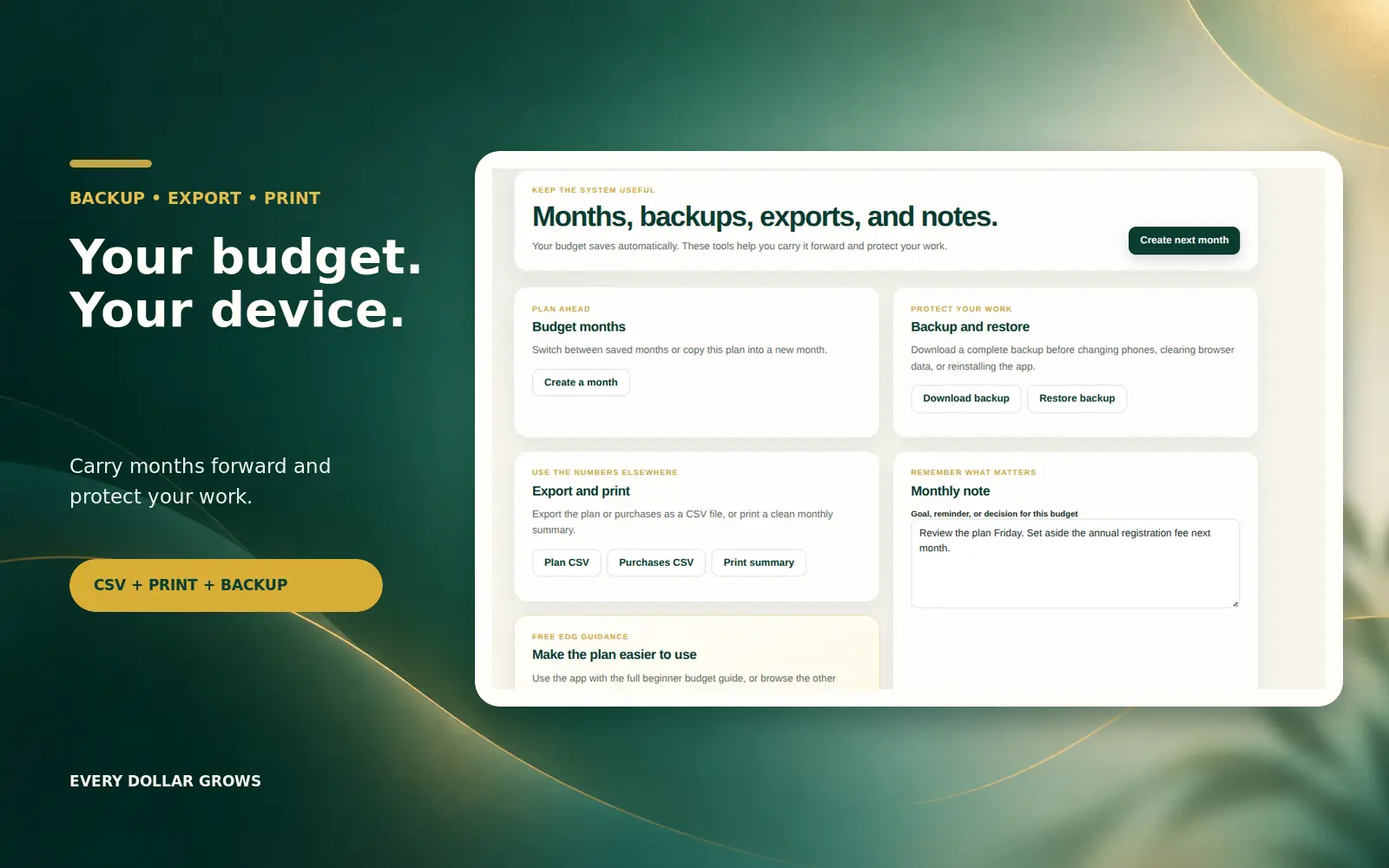
Want the complete month in one place? Use the 2-page Smart PDF.
The updated Monthly Money Plan covers income, giving, fixed and variable expenses, future wealth, sinking funds, debt payoff, and monthly results. The Smart PDF can also calculate totals and percentages; for the best calculation support, open it in Adobe Acrobat Reader.
Preview the Monthly Money Plan Before You Use It
Scroll through the actual watermarked two-page PDF below. The clean Smart PDF has the same layout and features without the preview watermark.
If the PDF preview does not display in your browser, open the watermarked preview in a new tab.
What changed in the updated Monthly Money Plan?
The planner keeps the original budgeting structure and adds Giving, Budget $ / %, Actual $ / %, a zero-based budget check, and EDG category planning guidelines. Use the clean Smart PDF for your working budget.
Smart PDF: use the clean fillable version for your budget. For automatic totals and percentages, open it in Adobe Acrobat Reader; some browser PDF viewers may not run every calculation.
What’s included in the Smart PDF
Income Tracking
Plan paychecks, extra income, other income, and total monthly take-home income.
Giving
Make church, tithe, charitable giving, or other generosity an intentional part of the monthly plan.
Fixed Expenses
Organize housing, utilities, insurance, phone, internet, transportation, medical costs, minimum debt payments, and other fixed bills.
Variable Expenses
Budget groceries, dining out, fuel, shopping, entertainment, personal spending, kids and family costs, and miscellaneous spending.
Future Wealth
Make room for emergency fund savings, investing, other savings, and extra debt payoff.
Sinking Funds
Prepare for vehicle repairs, home maintenance, holidays, gifts, annual bills, and other irregular expenses.
Debt Payoff
Track planned and actual debt payments so progress stays visible.
Monthly Results
Review total income, giving, expenses, saved, debt paid, and money remaining.
Zero-Based Budget Check
See whether your planned income has been fully assigned so every dollar has a purpose.
Planning Guidelines
Compare major categories with EDG starting ranges based on monthly take-home pay without treating the ranges as rigid rules.
Money Win + Next Focus
End the month by writing one win and one focus for the next month.
Why these free tools work well together
A budget needs two things: a plan and a way to stay aware of what happens after the plan is made. The Smart PDF makes the full plan visible. Simple Budget helps you track the month as purchases happen.
Already Have a Budget?
Creating a budget is only the first step. The next challenge is figuring out why the budget still feels tight or where your paycheck is actually going.
The Budget Review System helps you review one month of spending, identify your biggest financial pressure point, and create a simple action plan using a guided Budget Review app, companion worksheets, and an Excel / Google Sheets-compatible workbook.
Explore the Budget Review SystemHow to use the Monthly Money Plan
Start with income
Write down your expected paychecks, extra income, and other income for the month.
Choose your giving
Decide what you want to give this month so generosity is planned rather than left to whatever happens to remain.
List fixed expenses
Add predictable bills such as housing, utilities, insurance, phone, internet, transportation, medical, and minimum debt payments.
Plan variable spending
Estimate groceries, dining out, fuel, shopping, entertainment, personal spending, family costs, and miscellaneous expenses.
Fund future goals
Give money a job for emergency savings, investing, sinking funds, other savings, and extra debt payoff.
Check the plan
Use the zero-based budget check and category planning ranges to spot areas worth reviewing. The ranges are starting points, not pass-or-fail rules.
Compare budget vs. actual
As the month unfolds, enter actual amounts and compare both dollars and percentages with the plan.
Choose next month’s focus
Write down one money win and one improvement for next month.
Recommended next steps
These Every Dollar Grows guides can help you turn either free tool into a stronger money system.
Want a complete money system?
The free tools are a strong starting point. If you want paycheck planning, sinking funds, annual expenses, debt tracking, and a weekly money reset in one place, explore Money Reset OS.
Helpful outside resources
Free Budget Tools FAQ
Are both budget tools really free?
Yes. The Monthly Money Plan Smart PDF and Simple Budget App are free. No credit card is required.
Which option should I choose?
If you want a complete two-page monthly plan, choose the Smart PDF. If you want faster day-to-day digital tracking, choose Simple Budget. If you are unsure, get both and use them together.
Do I have to connect my bank account?
No. Simple Budget uses manual entry and does not require a bank connection.
Is this good for beginners?
Yes. Both tools are designed to make the basic budgeting process clear without requiring complicated software or spreadsheets.
Is the Monthly Money Plan fillable?
Yes. The Smart PDF is designed for digital entry and automatic totals. For the best calculation support, open it in Adobe Acrobat Reader. You can also print it and fill it out by hand.
Do I need Excel or Google Sheets?
No. The Monthly Money Plan is a PDF, and Simple Budget runs as an app.
What if my income changes every month?
Use your best realistic estimate at the start of the month, then adjust as income changes. The Smart PDF lets you compare planned and actual numbers, while Simple Budget lets you update the month digitally.
What happens if I choose Get Both?
You enter your email once. After confirmation, the delivery email gives you the Smart PDF and the secure Simple Budget claim path.
Take the first step with the format that feels easiest
You do not need a perfect budgeting system today. Choose the Smart PDF, choose the app, or get both and use the combination that helps you stay consistent.