
Money Reset OS
Household Money Management System for Your Entire Financial Life
A household money management system should help you do more than create a budget. Money Reset OS helps you build a real monthly plan, track what actually happens, and understand your savings, debt, investments, assets, and net worth without needing to be a money expert.
Money Reset guides you step by step, tells you where to find the numbers it asks for, and turns your answers into a clear financial picture.
$29 one-time purchase. No subscription.
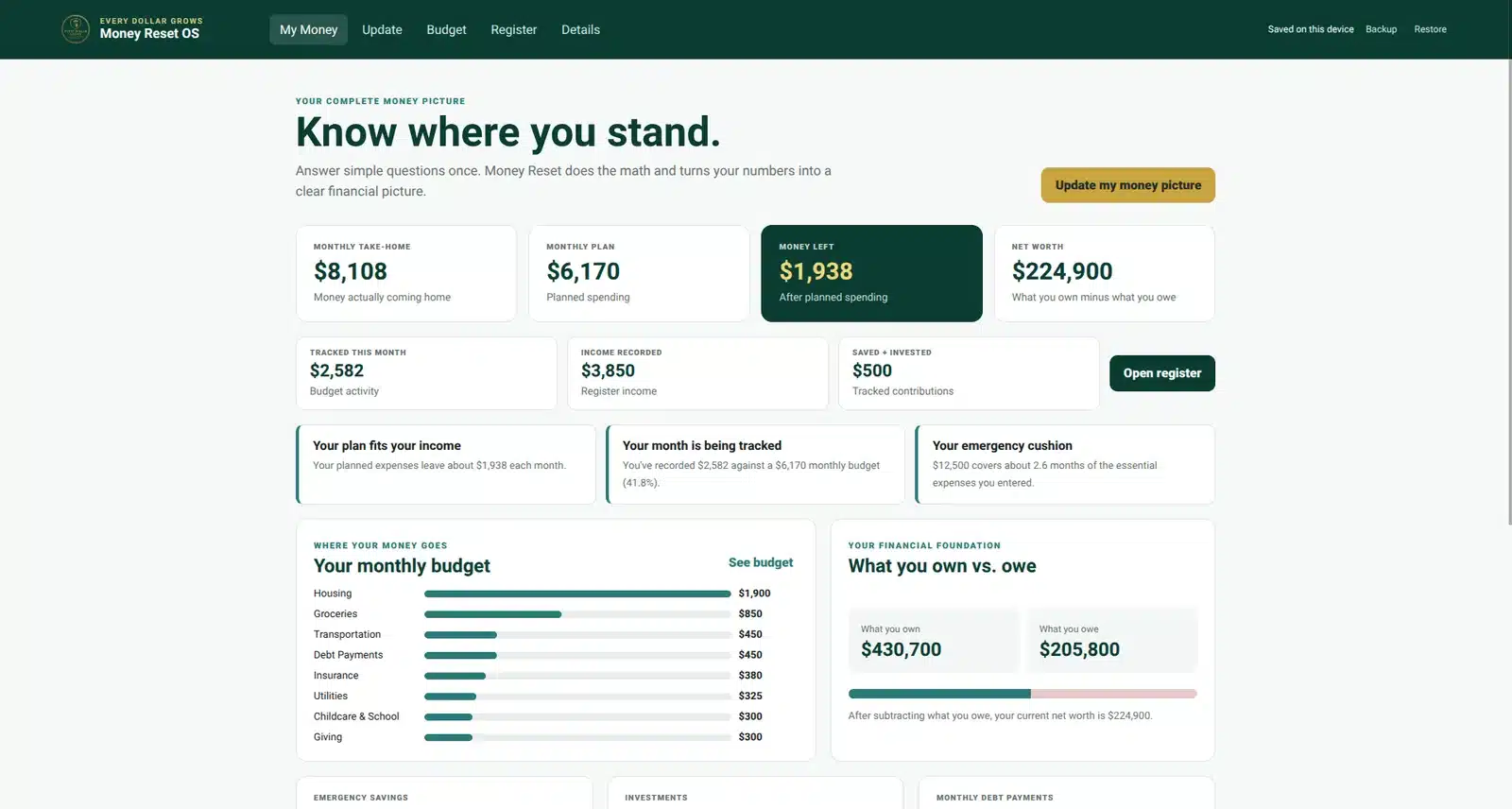
See Money Reset OS in action
See How the Complete Household Money Management System Works
Watch how guided setup, budgeting, the Money Register, optional rollover envelopes, savings, debt, investments, assets, and net worth work together inside one app.
Simple on purpose
You Don’t Have to Be a Money Expert
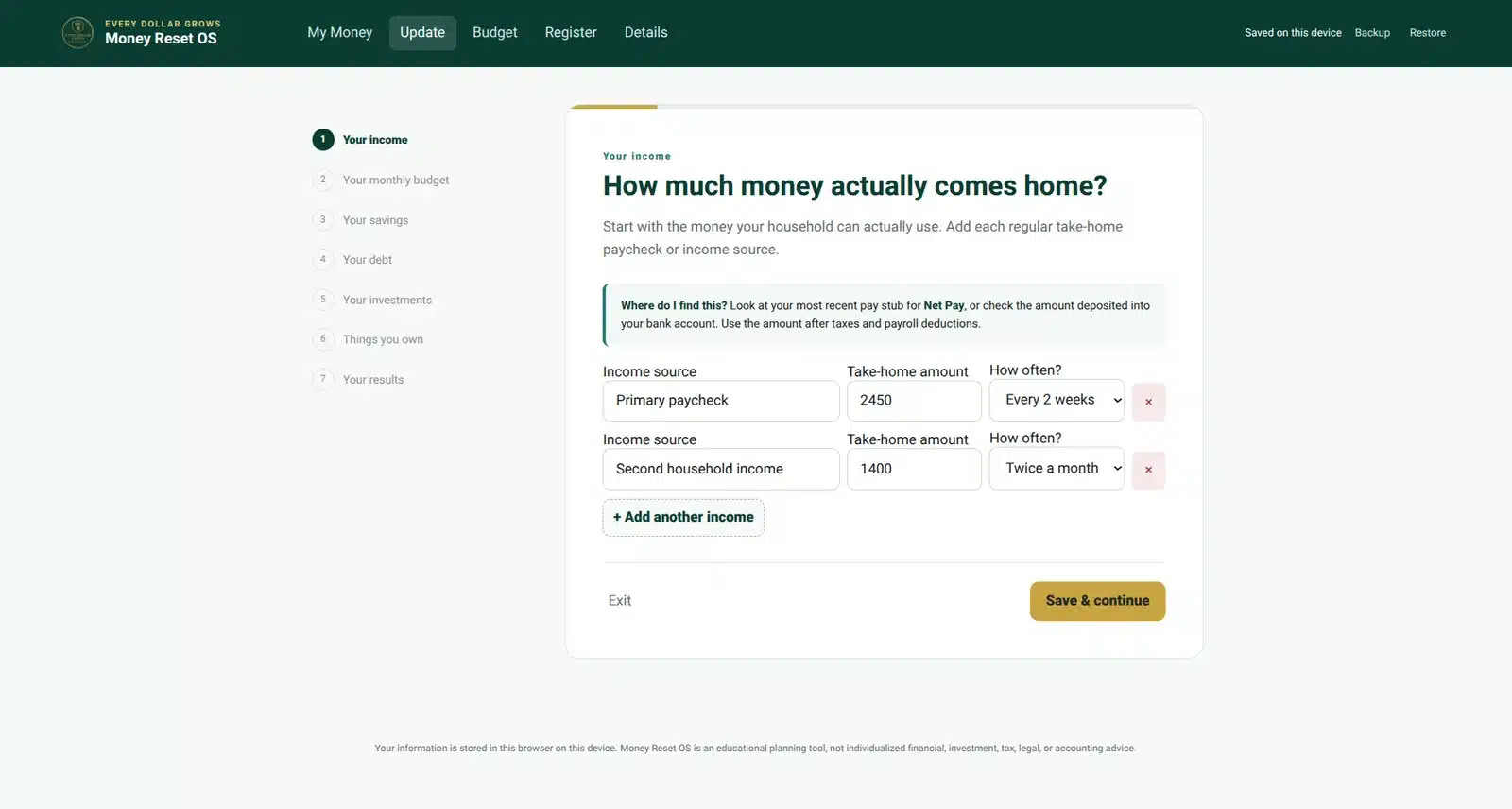
Money Reset starts with specific questions instead of expecting you to know financial terminology.
Answer Clear Questions
Work through income, spending, savings, debt, investments, and assets one step at a time.
Know Where to Look
Money Reset tells you where you can usually find the number it is asking for.
Get Meaningful Results
You provide the numbers. Money Reset handles the calculations and financial picture.
One connected system
A Household Money Management System That Connects the Pieces
Your budget is only one part of your financial life. Money Reset connects the day-to-day plan with savings, debt, investments, assets, and your overall financial progress.
The flagship system
More Than a Budget Tracker
This household money management system gives you the tools to run the monthly budget while also understanding the bigger financial picture.
Monthly budget
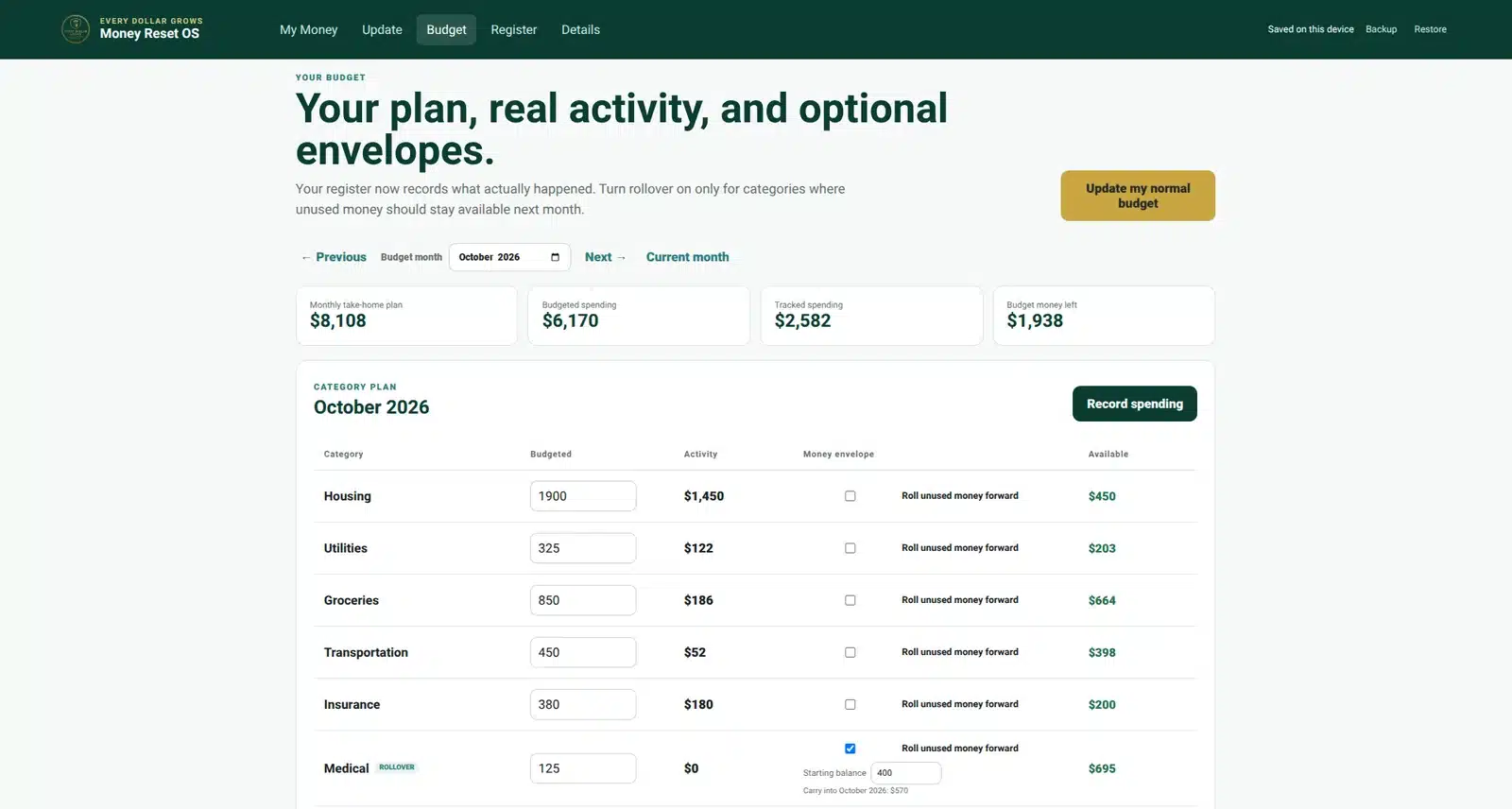
Build a Budget You Can Actually Run
Set your monthly amounts, record what actually happens, and see the remaining balance in each category automatically.
- Plan monthly spending by category
- Compare planned amounts with real activity
- See what remains automatically
- Add categories that fit your household
- Move backward and forward between budget months
Money Register
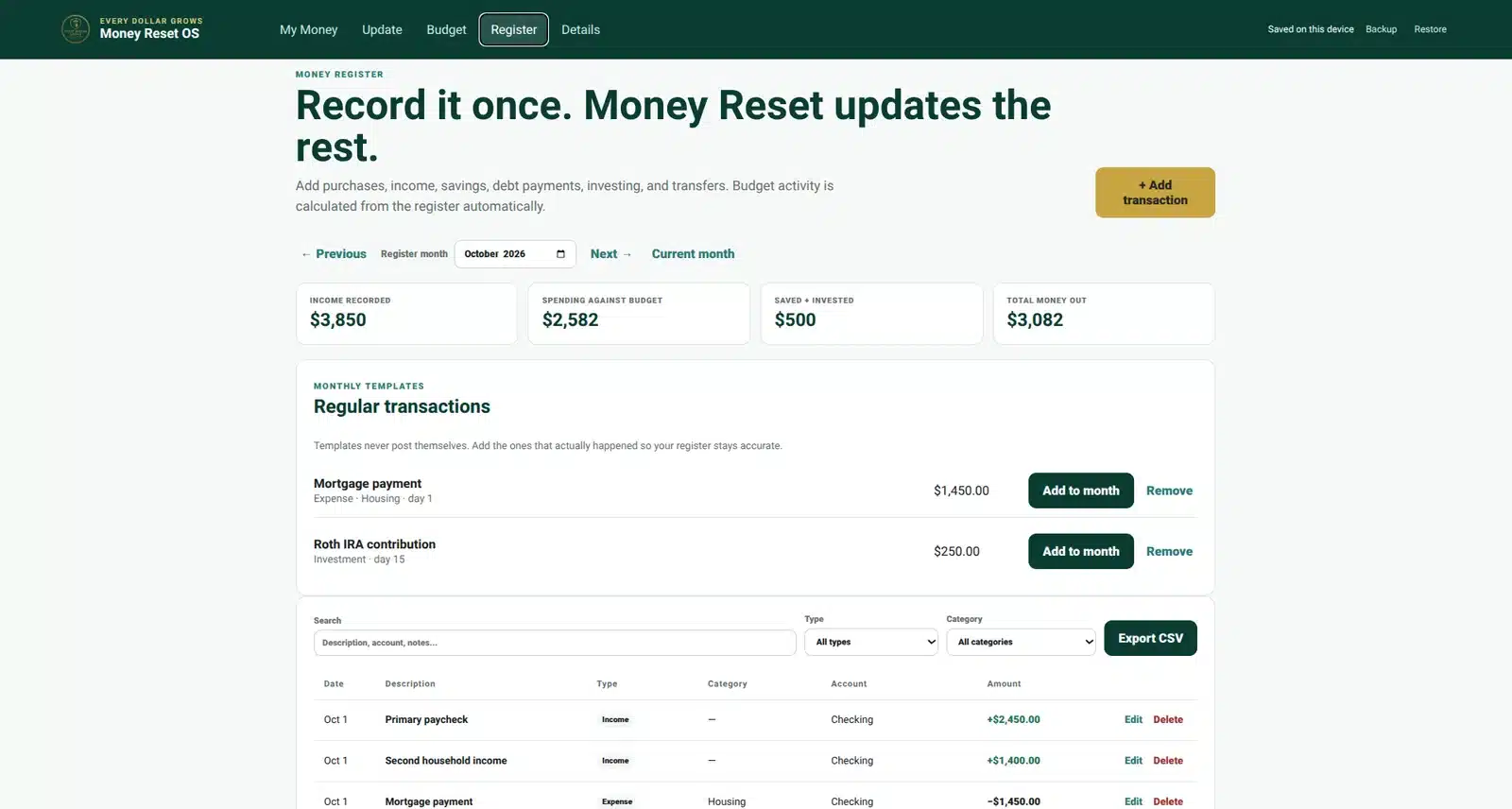
Record It Once. Let Money Reset Use It Everywhere.
The register is where real activity enters the system. Add the transaction once and your budget updates from it.
- Track everyday spending
- Record household income
- Record savings contributions
- Record debt payments
- Track investment contributions
- Record transfers without falsely counting them as spending
- Search, filter, edit, and export activity
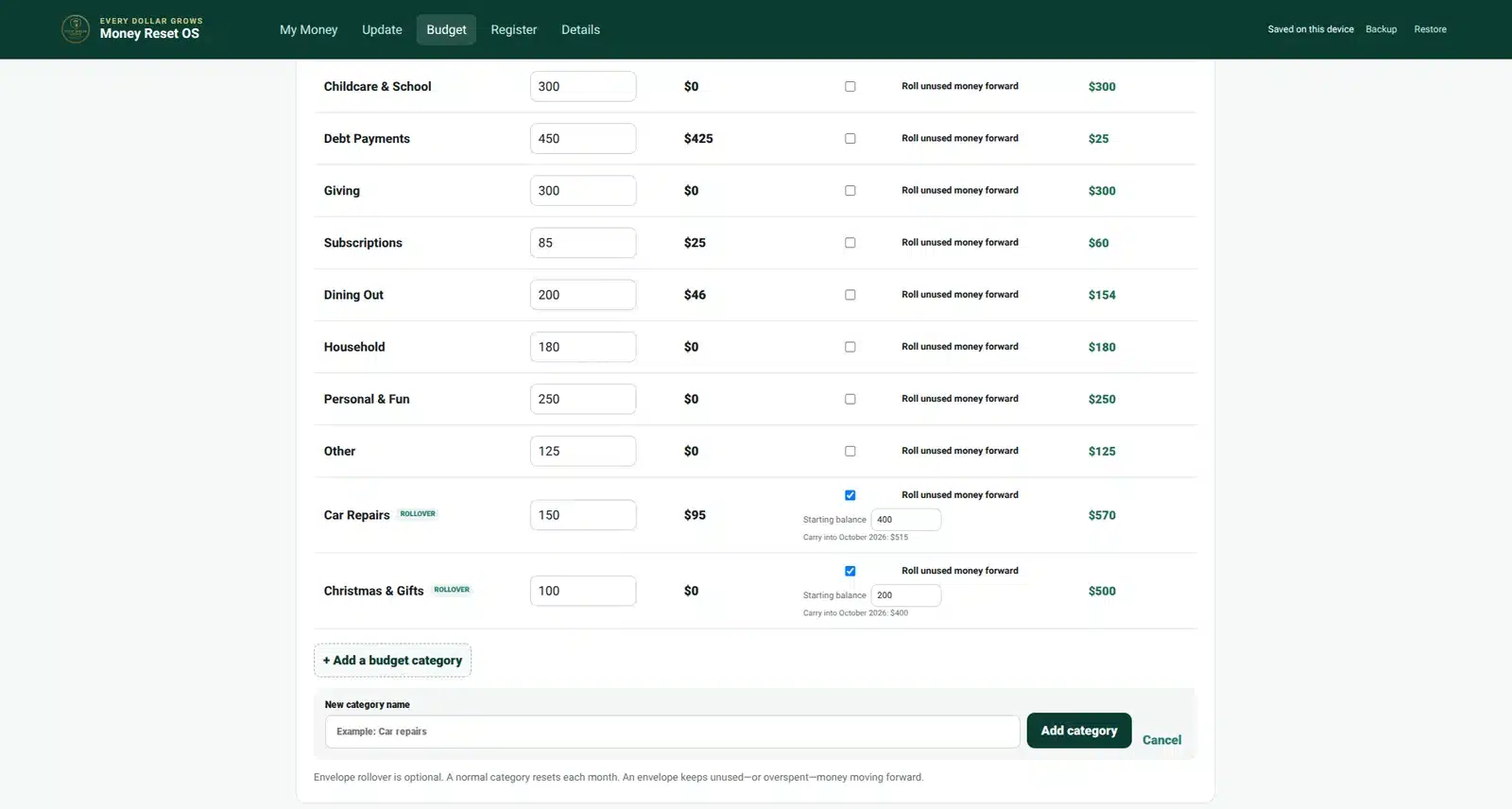
Optional rollover envelopes
Let Certain Categories Build From Month to Month
Not every budget category needs to reset to zero. Turn rollover on only where it makes sense.
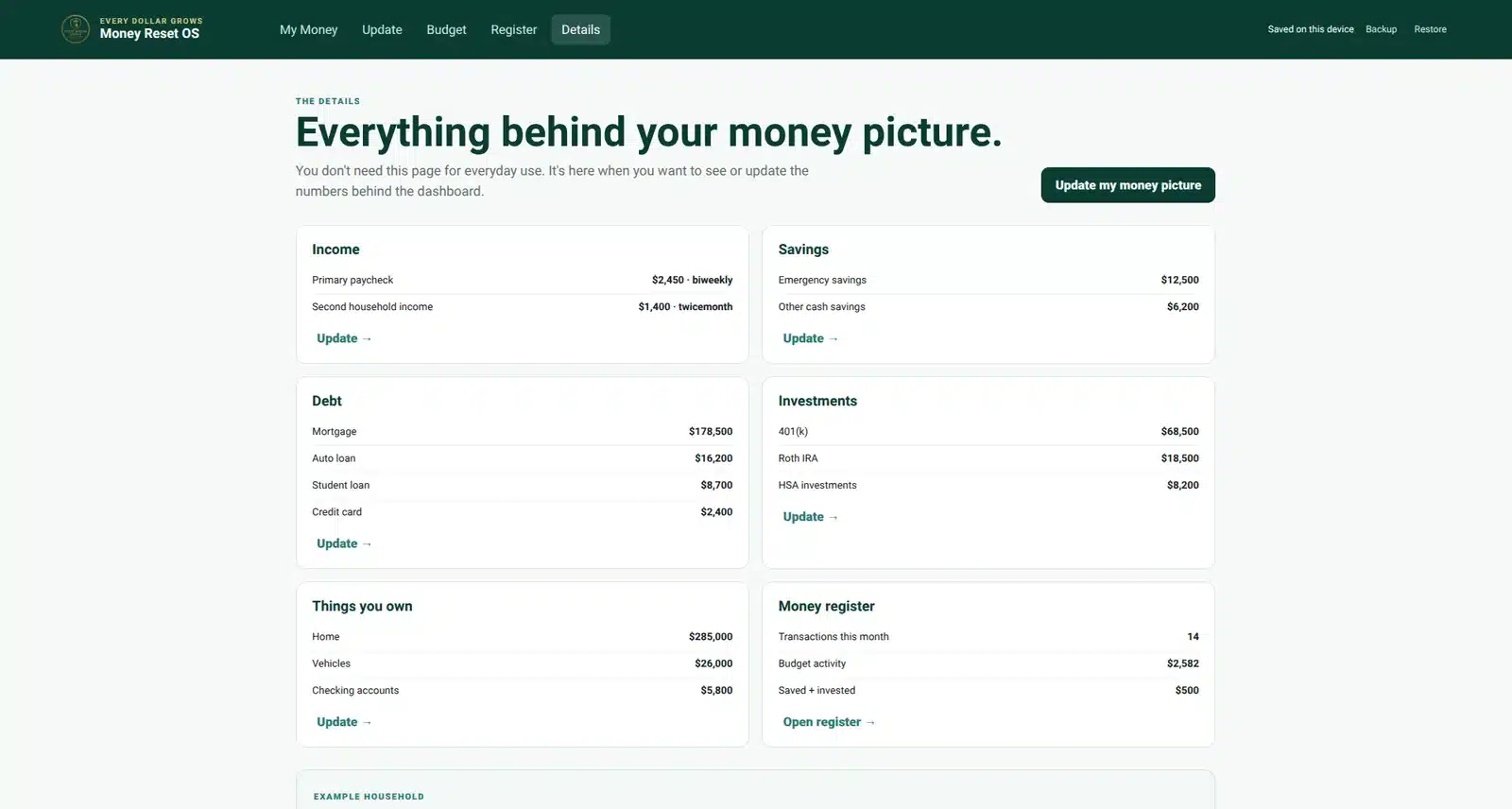
Complete financial picture
Track More Than What You Spent
Your financial life includes much more than a monthly expense list. Money Reset gives those other numbers a place too.
- Emergency savings
- Other cash savings
- Mortgage and other debt
- Retirement accounts
- Other investments
- Home and vehicle values
- Cash accounts and other assets
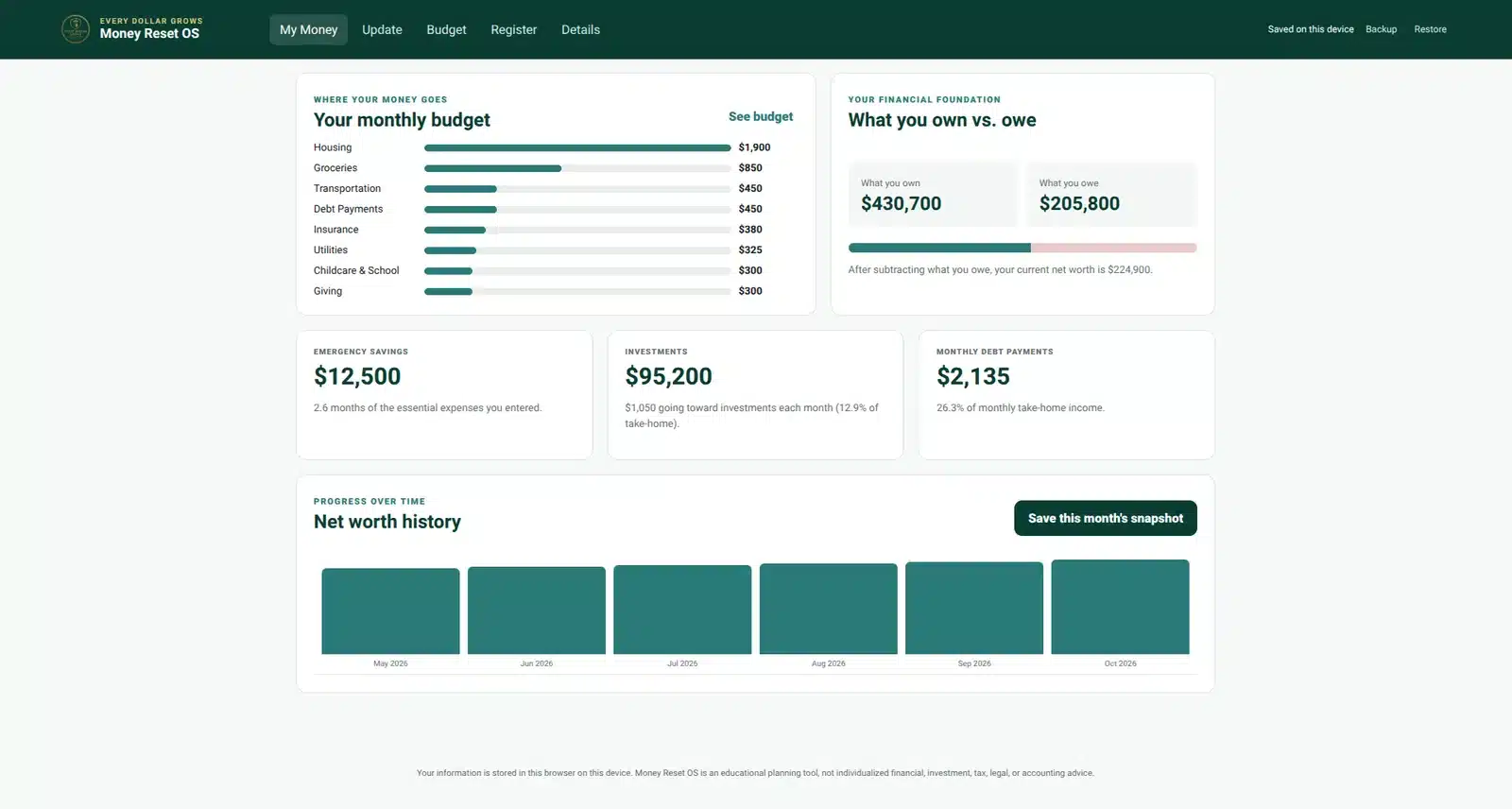
See whether you’re moving forward
Your Financial Position Should Be Easy to Understand
Money Reset brings savings, investments, debt, assets, and liabilities together so you can see your current net worth and save progress snapshots over time.
A lot of capability for one purchase
One Household Money Management System Instead of a Pile of Separate Tools
Who it is for
Built for Real Household Money
A strong fit if you want to…
- Understand your complete financial picture
- Run a real monthly budget
- Track actual transactions
- Use rollover envelopes where useful
- Keep savings, debt, investments, and assets organized
- Track net worth over time
- Use a powerful system that remains easy to understand
Probably not ideal if you need…
- Automatic bank synchronization
- Business bookkeeping or accounting software
- Tax preparation software
- Investment trading or portfolio-management software
- Individualized financial advice
Build the foundation first
New to Budgeting?
Start with our How to Make a Budget for Beginners guide, then use Money Reset OS to turn that plan into a complete household money management system.
You can also compare Every Dollar Grows budgeting tools if you are deciding which option best fits your needs.
Frequently asked questions
Household Money Management System FAQ
What exactly is Money Reset OS?
Money Reset OS is a household money management system that combines guided financial setup, monthly budgeting, transaction tracking, optional rollover envelopes, savings, debt, investments, assets, net worth, and financial progress tracking in one app.
Do I need to understand finance before using it?
No. Money Reset asks specific questions, explains what information it needs, and tells you where you can usually find the number being requested.
Does Money Reset OS connect to my bank?
No. A bank connection is not required. You enter and maintain your own financial information.
Where is my information stored?
Money Reset app information is stored in your browser on your device. The app also includes backup and restore tools so you can save a copy of your Money Reset data.
Can I track actual spending?
Yes. The built-in Money Register records purchases and other financial activity, and expense transactions automatically feed the appropriate budget categories.
Does Money Reset support money envelopes?
Yes. Rollover is optional by category. You can allow unused or overspent money to carry forward only for the categories where that method makes sense.
Does Money Reset track investments and net worth?
Yes. You can record investment balances and contributions along with savings, debts, and assets. Money Reset uses those numbers to calculate your overall financial position and net worth.
Is Money Reset OS a subscription?
No. Money Reset OS is a one-time $29 purchase with no monthly subscription.
Can couples or families use it?
Yes. Money Reset is designed around the household financial picture, including multiple income sources, shared expenses, savings, debt, investments, and assets.
Where do I access Money Reset after purchase?
Sign in to EveryDollarGrows.com and go to My Account → My Apps.
Does Money Reset OS provide financial advice?
No. Money Reset OS is an educational and organizational tool and does not provide individualized financial, legal, tax, accounting, or investment advice.
The flagship money system from Every Dollar Grows
Build Your Household Money Management System for $29
Build your budget, track what actually happens, and understand your savings, debt, investments, assets, and net worth without turning money management into another complicated job.
$29One-time purchase. No monthly subscription.
Money Reset OS is an educational and organizational resource for household finances. It does not provide individualized financial, legal, tax, accounting, or investment advice.