
RAP Student Loan Calculator: Estimate Your 2026 Payment
This RAP student loan calculator lets you enter AGI and dependents to see the published RAP band, annual base, monthly base, dependent reduction, and $10 floor—without storing or transmitting your numbers.
Part of the Complete EDG Student Loan Guide.
The short answer
- The calculator implements the published RAP AGI-band formula and shows every step.
- It does not determine whether a loan is eligible for RAP.
- Joint filers with two federal-loan borrowers need official proration using both eligible balances.
- Use the official Repayment Calculator before submitting a plan request.
How to use the RAP student loan calculator
Enter the adjusted gross income that will be used for the repayment calculation and the number of dependents claimed on the borrower’s federal return. Choose the filing-status note that matches the household. The calculator returns the band, annual base, monthly base, dependent adjustment, floor status, and estimated monthly payment.
Get Your Free Student Loan Snapshot
Create your free Every Dollar Grows account to save your Student Loan Snapshot and access it anytime.
AGI is not the same as gross wages. Find it on the federal return or in the official IDR application. If current income fell materially after the last return, Federal Student Aid may allow alternative documentation; use the official process rather than changing the calculator input without documentation.
Advanced RAP student loan calculator
Estimate the 2026 RAP payment, see every calculation step, identify the next AGI-band boundary, compare three income scenarios, and add optional loan context. This is a planning tool—not an eligibility determination or official federal payment quote.
Current RAP estimate
Calculation breakdown
Next AGI-band boundary
Three-income scenario comparison
| Scenario | AGI | Band | Estimated RAP payment | Difference vs. current |
|---|
Loan and strategy context
What this result does not decide
- Whether your loans are eligible for RAP.
- Final married-joint proration when both spouses have eligible federal loans.
- Your exact unpaid-interest waiver or principal-reduction benefit.
- Your official PSLF qualifying-payment count or 360-payment RAP count.
- Your future federal or state tax liability on any discharge.
Next step: verify the result with the official Federal Student Aid Repayment Calculator before submitting a repayment-plan request.
Runs entirely in your browser. No entries are stored or transmitted by this calculator.
What the calculator is doing behind the screen
At $10,000 AGI or less, the annual base is $120. Above $10,000, the calculator selects 1% through 10% based on the $10,000 AGI band and applies that percentage to full AGI. The base is divided by 12, reduced by $50 per dependent, and floored at $10.
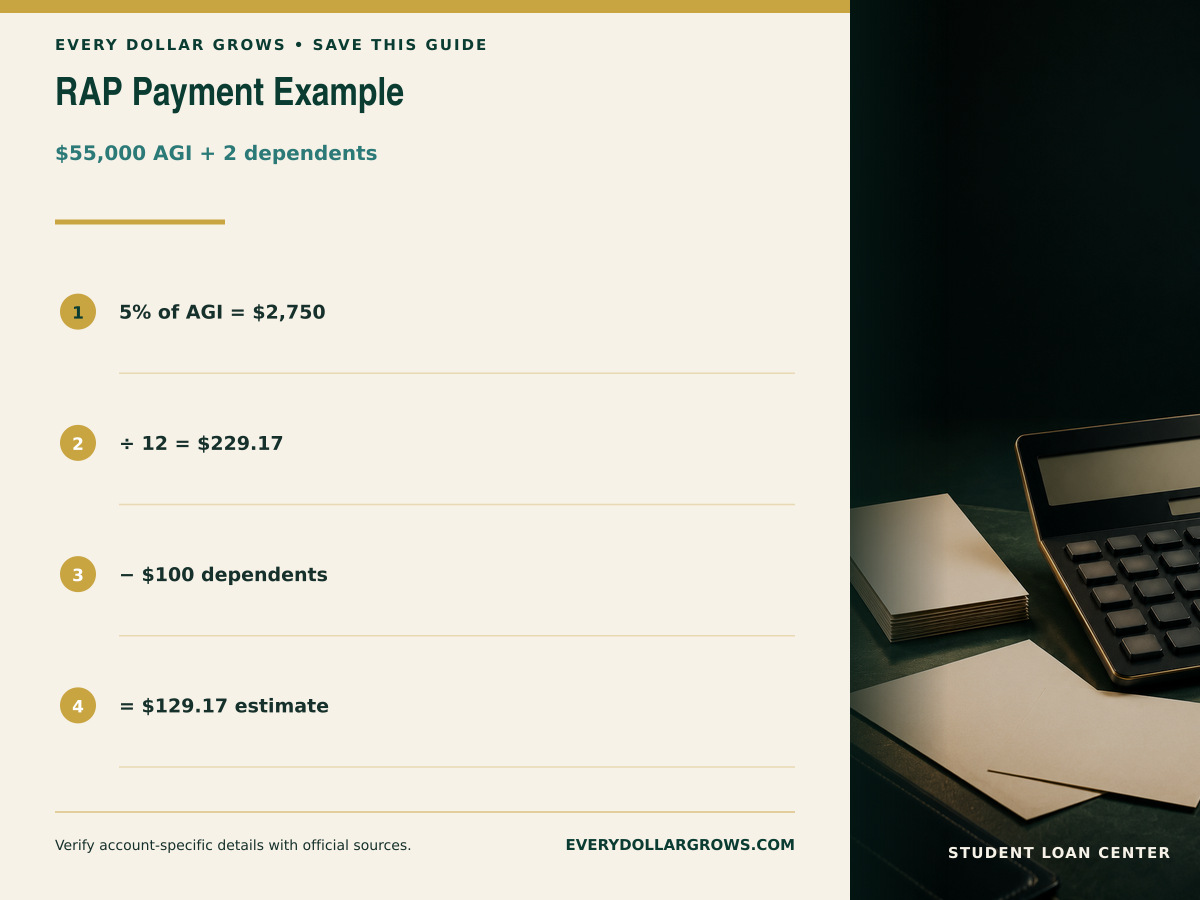
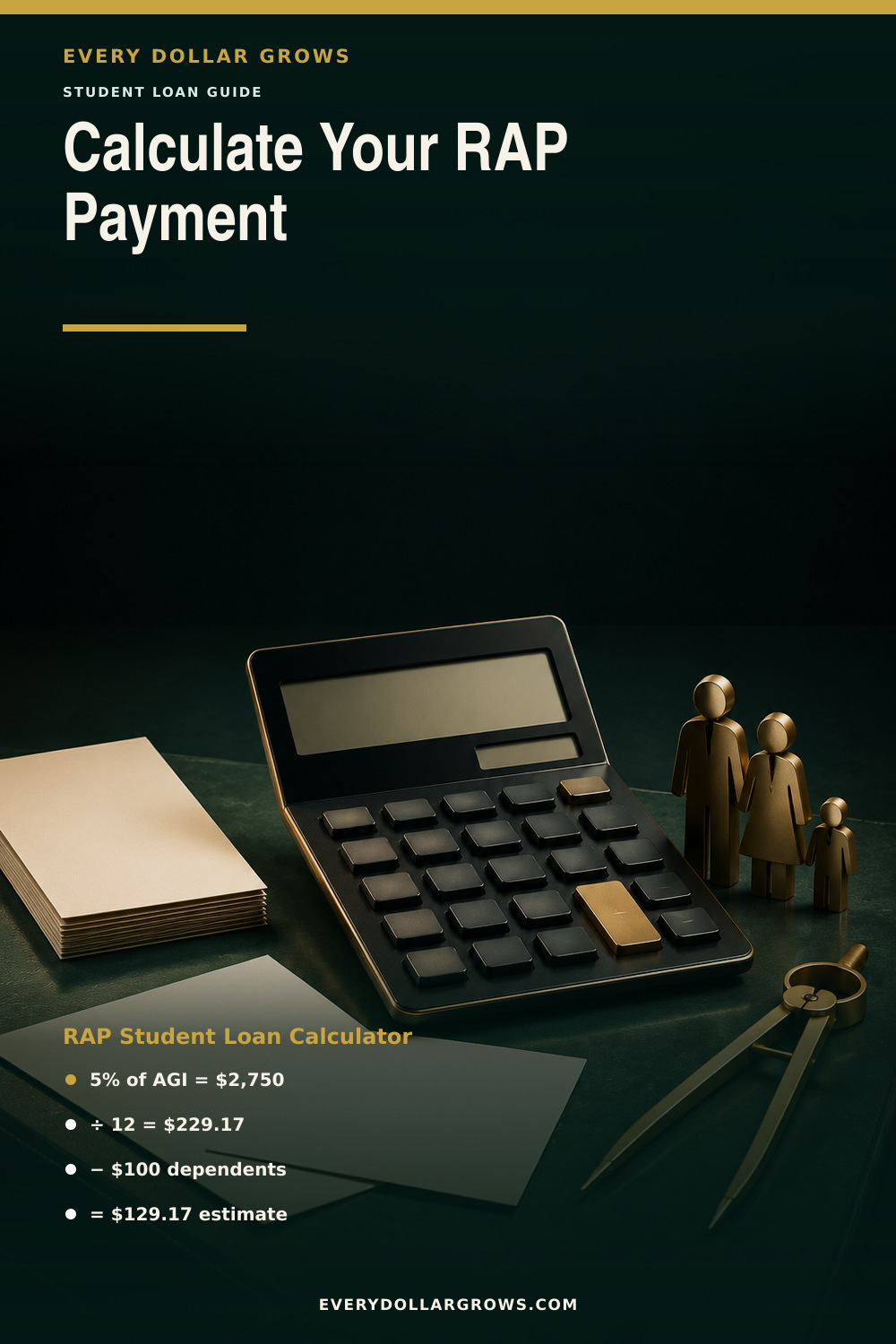
For example, $55,000 AGI is in the 5% band. $55,000 × 5% = $2,750 annually, or $229.17 monthly. Two dependents reduce that by $100, producing an estimate of $129.17.
Read the complete RAP guide for the full band table, eligibility, interest relief, principal reduction, PSLF, marriage, and tax tradeoffs.
Why a one-dollar income change can move the band
RAP is not marginal. At exactly $50,000, the 4% band applies and the annual base is $2,000. Immediately above $50,000, the 5% band applies to full AGI, so the annual base becomes approximately $2,500. That boundary behavior is part of the published formula.
The calculator preserves exact boundaries through $100,000 and caps the rate at 10% above $100,000. It also requires a whole-number dependent count and never displays a payment below $10.
What this calculator cannot calculate
- Loan or plan eligibility
- Joint-return proration when both spouses have eligible federal loans
- Which dependents Federal Student Aid will accept
- Official recertification timing or alternative income documentation
- Interest waived or principal reduced for a specific account
- PSLF or 360-payment qualifying credit
- Federal or state tax on a future discharge
Those limits are not fine print. They are the difference between a planning estimate and an account decision.
Verify the estimate in the official federal system
- Log in to StudentAid.gov and open the Repayment Calculator.
- Confirm every loan type and disbursement date.
- Compare RAP with every other plan the official tool shows.
- Review payment, total paid, projected discharge, and end date.
- If married and filing jointly, verify the spouse-loan information.
- Save the comparison before submitting the request.
If IBR is available, use the RAP vs. IBR comparison. If the fixed route is available, compare Tiered Standard total cost.
Run three RAP scenarios—not just today’s income
A single calculator result is a snapshot. A better planning test uses three scenarios: current AGI, a lower-income year, and a higher-income year that crosses the next RAP band. That reveals whether the payment is resilient and whether a raise could move the entire AGI into a higher percentage band.
For example, compare $49,500 AGI with $50,500 AGI before dependent reductions. The first amount remains in the 4% band, while the second moves into the 5% band. Because RAP applies the band percentage to full AGI rather than only the dollars above the threshold, the change can be larger than a borrower expects from a one-percentage-point band shift.
Then test dependents separately. A dependent claimed for RAP reduces the monthly amount by $50, subject to the $10 minimum. Do not add someone simply because the person lives in the household; use the dependent information that the federal process accepts for your return and application.
How to interpret a low RAP estimate
A very low RAP estimate does not automatically mean the loan will disappear quickly. Ask three follow-up questions. First, will the required payment cover the monthly interest? If not, the RAP interest benefit becomes important. Second, what principal-reduction benefit would follow a full, on-time payment under the federal formula? Third, is the borrower pursuing PSLF, long-term RAP discharge, or eventual full payoff?
Those outcomes can point in different directions. A PSLF borrower may value a qualifying income-driven payment. A borrower with modest debt and rising income may prefer a faster fixed payoff. A borrower whose required payment is near the $10 floor needs to understand the much longer timeline rather than treating the low number as the whole decision.
Use the band table to explain the result
After the calculator returns a payment, identify the specific AGI band that produced it. For AGI of $10,000 or less, the published formula starts with a $120 annual base. Above $10,000, the percentage rises by band from 1% through 10% and applies to full AGI. Write down the band, annual base, monthly base, dependent reduction, and final $10-floor result. That five-line audit makes it much easier to spot an input error.
If the official federal calculator later produces a different amount, do not force the EDG estimate to match. Check spouse-loan proration, income documentation, accepted dependent information, loan eligibility, and account-specific rules. The official system and servicer control the required payment.
Save this RAP calculator guide for later
Keep the RAP formula, income-band rules, dependent reduction, and calculator limits handy while comparing repayment options.

Official sources used
Rules and dates can change. These primary sources were checked for this guide; confirm account-specific details with Federal Student Aid and your loan servicer.
Frequently asked questions
Is this an official RAP calculator?
No. It is an independent EDG planning calculator that implements the published basic formula. Federal Student Aid confirms eligibility and the official payment.
Why does the payment jump near an AGI boundary?
RAP uses one percentage for the entire AGI based on the band. It is not a marginal calculation.
Does the calculator include the $50 dependent reduction?
Yes. It subtracts $50 per dependent claimed and then applies the $10 monthly minimum.
Can it calculate a married couple’s final RAP payments?
Not when both spouses have eligible federal loans. The official calculation can prorate the household payment using each spouse’s share of eligible debt.
Educational information only. This page does not provide legal, tax, investment, or individualized financial advice and cannot determine your eligibility, official payment, qualifying-payment count, or tax liability. Verify your loans, dates, and options through StudentAid.gov, your servicer, and a qualified professional when appropriate.