
SAVE Plan Ended: What to Do in the Next 90 Days
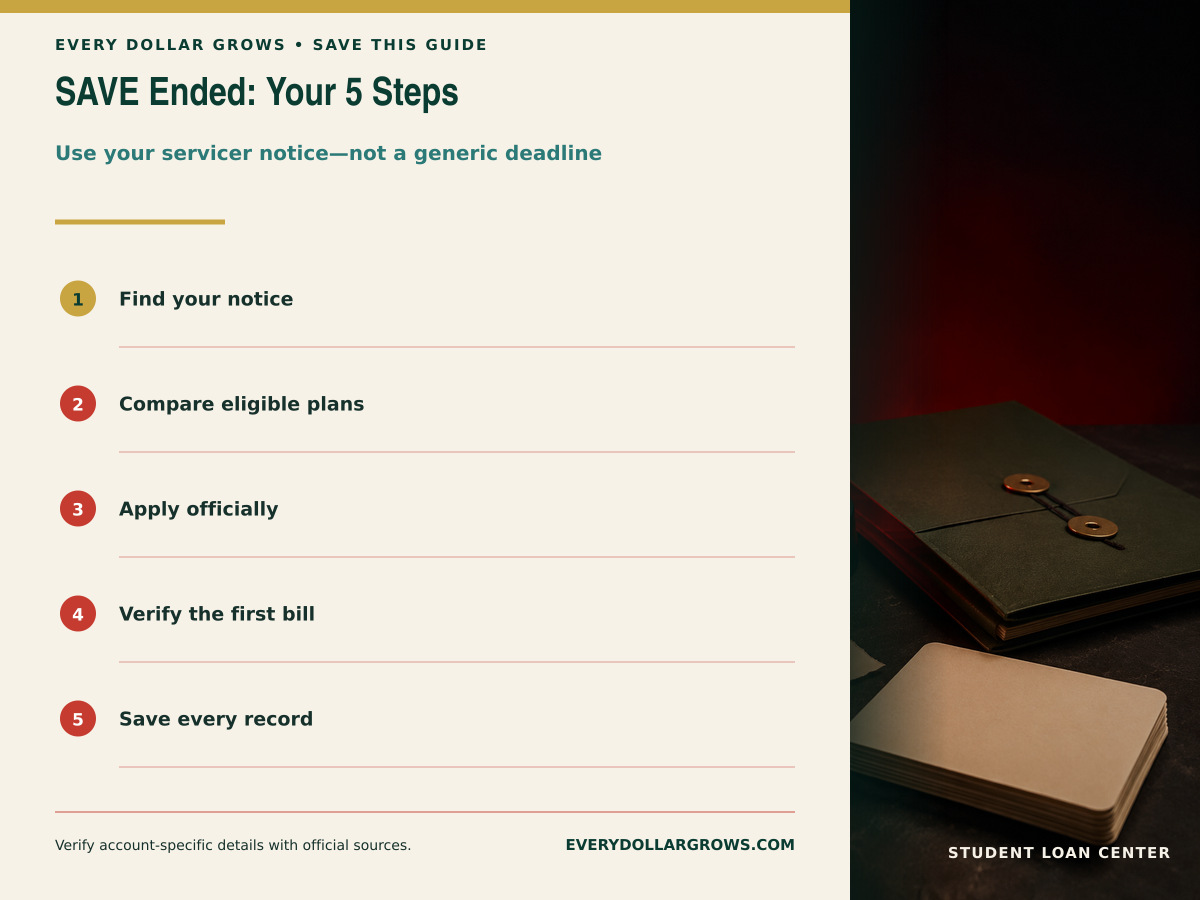
There is no single SAVE deadline for every borrower. This SAVE plan ended what to do guide explains the documented five-step transition tied to your individual servicer notice.
Part of the Complete EDG Student Loan Guide.
The short answer
- SAVE is no longer an available federal student loan repayment plan.
- The typical action window is 90 days from the date of the individual servicer notice—not one universal date for every borrower.
- Available replacement plans depend on loan type, first disbursement date, and consolidation history.
- Save every notice, application confirmation, processing message, and the first statement under the new plan.
SAVE Plan Ended: What to Do Before Choosing Another Repayment Plan
A federal court order ended the Saving on a Valuable Education plan on March 10, 2026. Federal Student Aid no longer lists SAVE as an available income-driven repayment plan. A borrower enrolled in SAVE or waiting on a SAVE application must move to a legal replacement plan.
Get Your Free Student Loan Snapshot
Create your free Every Dollar Grows account to save your Student Loan Snapshot and access it anytime.
The transition is account-specific because the next plan depends on the loans. A borrower with only pre-July 1, 2026 Direct Loans may be able to compare RAP and IBR, plus a fixed option. A borrower with a new eligible Direct Loan on or after July 1, 2026 generally uses RAP or Tiered Standard. Parent PLUS debt and older FFEL or Perkins loans require separate treatment.
Step 1: find the exact servicer notice and deadline
Search the servicer inbox, email, and mailed correspondence for the SAVE transition notice. Record the notice date, deadline printed by the servicer, current payment status, and any language about what happens if no plan is selected.
The Department described a 90-day action period tied to the individual notice. The date helper below adds 90 calendar days, but the written servicer deadline controls if it differs. A borrower should not use a social post, news headline, or a friend’s notice as the official date.
If you cannot find the notice, contact the servicer through the phone number or secure message center shown in the official account. Ask for the deadline and the status of any pending IDR request in writing.
SAVE notice 90-day date helper
Enter the date printed on your own servicer notice to estimate the end of its 90-day action window.
Runs in your browser. No entries are stored or transmitted by this calculator.
Step 2: compare only the plans your loans can use
| Possible route | Who may use it | Main comparison |
|---|---|---|
| RAP | Eligible Direct Loan borrowers; Parent PLUS debt excluded | AGI-band payment, dependent reduction, interest and principal benefits, 30-year discharge |
| IBR | Eligible loans disbursed before July 1, 2026 | 10% or 15% of discretionary income, payment cap, 20- or 25-year period |
| Tiered Standard | Direct Loan borrowers with at least one Direct Loan first disbursed on or after July 1, 2026 | 10–25 year term by balance, fixed payment, total interest; not a PSLF-qualifying plan |
| Traditional Standard / Graduated / Extended | Generally older-loan borrowers who remain eligible and do not fall into the new Tiered/RAP fixed-plan framework | Fixed or graduated payment, term, total interest, and Extended-plan balance requirements |
| PAYE or ICR during transition | Only borrowers who satisfy the older-loan and enrollment rules | Availability and the no-later-than-July-1-2028 sunset |
Use the official Repayment Calculator while logged in when possible. Then read the RAP guide, RAP vs. IBR, and Tiered Standard for the formulas behind the official results.
Step 3: submit through the official application
Apply through StudentAid.gov or the official form identified by Federal Student Aid. The federal IDR application is free. Consent to retrieve federal tax information can speed processing and support automatic annual recertification, but borrowers can review the available documentation options in the official application.
Before submitting, capture the plan selected, the estimated payment, income information used, dependents or family size, tax filing status, and any spouse-loan information requested. After submitting, save the timestamp, confirmation number, PDF, screenshot, or email.
Do not cancel an existing required payment merely because an application is pending. Confirm with the servicer how payments, interest, and any processing forbearance will be handled during the transition.
Step 4: verify processing and the first bill
Check the application status at least weekly until the new plan is visible. If the servicer requests information, respond through the secure account and retain proof. When the plan changes, verify the plan name, required payment, due date, auto-pay amount, interest-rate reduction, and whether every intended loan moved.
If the payment does not match the expected range, ask for the calculation inputs and check AGI, filing status, dependents, spouse debt, and loan group. Do not assume the calculator or servicer is wrong until the inputs are compared.
PSLF borrowers should also review the official qualifying-payment count after the transition. A new repayment plan does not replace employment certification or documentation.
What can happen if a SAVE borrower does nothing
The Department stated that a borrower who does not select another plan by the individual deadline may be placed in a Standard or Tiered Standard plan, depending on the loans. That can create a payment shock because the payment is based on balance, rate, and fixed term rather than income.
Missing the plan-selection deadline is not the same as default, but an unaffordable bill that goes unpaid can become delinquency and eventually default. If the replacement payment cannot fit, contact the servicer before the due date and use the EDG bill catch-up guide to protect housing, utilities, food, transportation, and the minimum required payment.
Step 5: build a transition record you can prove later
- Original SAVE transition notice and envelope or email timestamp
- Loan inventory from StudentAid.gov
- Repayment Calculator comparison
- Submitted application and confirmation
- Processing messages and information requests
- First statement under the replacement plan
- PSLF employment and payment-count records, when relevant
Keep the file even after the transition appears complete. It can resolve later questions about deadlines, payment status, and qualifying credit.
Build a one-page replacement-plan comparison before submitting
Before leaving the comparison screen, write down the result for every plan the official federal tool says is available. Include the required payment, whether it changes with income, estimated repayment end date, projected total paid, forgiveness treatment, and any special feature you are relying on. This prevents a rushed decision based only on the smallest first payment.
| Record | Why it matters |
|---|---|
| Plan name | Confirms exactly what you requested |
| Estimated first payment | Tests the household budget |
| Estimated end date | Shows how long the obligation may remain |
| Projected total paid | Exposes a low-payment/high-cost tradeoff |
| Forgiveness or PSLF treatment | Protects an intentional forgiveness strategy |
| Application confirmation | Creates evidence if processing is delayed |
If Tiered Standard appears in the official tool, remember that current federal-servicer guidance says it is not a PSLF-qualifying repayment plan. A borrower pursuing PSLF should verify a qualifying repayment path before switching. See the EDG PSLF guide.
Save this SAVE transition checklist for later
Keep the five-step transition, repayment-plan comparison, and 90-day servicer notice workflow handy while you move out of SAVE.


Official sources used
Rules and dates can change. These primary sources were checked for this guide; confirm account-specific details with Federal Student Aid and your loan servicer.
- U.S. Department of Education: next steps for SAVE borrowers
- Federal Student Aid: IDR court actions and SAVE updates
- Federal Student Aid: income-driven repayment FAQs
- Federal Student Aid: Repayment Calculator
- Federal Student Aid: IDR Plan Request
- Federal Student Aid servicer: repayment-plan comparison and Tiered Standard eligibility
Frequently asked questions
What is the SAVE plan deadline?
There is no single universal deadline for every borrower. Use the date and deadline in your individual servicer notice; the Department described a 90-day action window tied to that notice.
Can I stay in SAVE?
No. SAVE is no longer an available federal repayment plan.
Does every former SAVE borrower qualify for RAP?
No. RAP eligibility depends on loan type. Parent PLUS loans and consolidations containing Parent PLUS debt are excluded, and some older non-Direct loans require separate analysis.
What happens if I do not choose a plan?
You may be placed into a Standard or Tiered Standard plan, depending on the loans. Follow the servicer notice before that occurs.
Should I pay a company to switch plans?
No. The federal repayment application is free through official Federal Student Aid channels.
Educational information only. This page does not provide legal, tax, investment, or individualized financial advice and cannot determine your eligibility, official payment, qualifying-payment count, or tax liability. Verify your loans, dates, and options through StudentAid.gov, your servicer, and a qualified professional when appropriate.